


Thomas & Friends™: Let's Roll
4.166.00 Reviews
App Specs
- Version
- 7.8.0
- Updated On
- License
- Free
- Downloads
- 1,000,000+
- Developer
- StoryToys
- Categories
- Educational
- Platform
- Android
Screenshots
 Analysis by AppCompare
When I look for a game to keep a preschooler happily occupied, I want something that feels inviting without turning every moment into a complicated lesson. Thomas & Friends™: Let's Roll leans on familiar railway characters and short play activities, making it an easy idea to consider for a child who already enjoys Thomas. I’d treat it as a playful screen-time option rather than a complete learning plan: its appeal is the combination of recognizable trains, simple challenges, and a child-friendly presentation.
All Aboard the Adventure
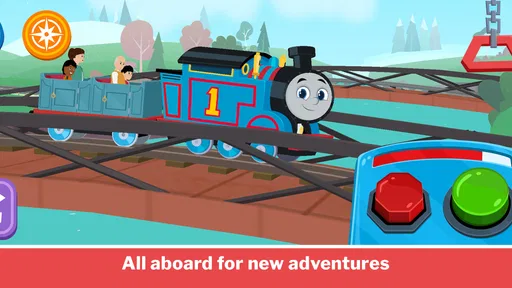
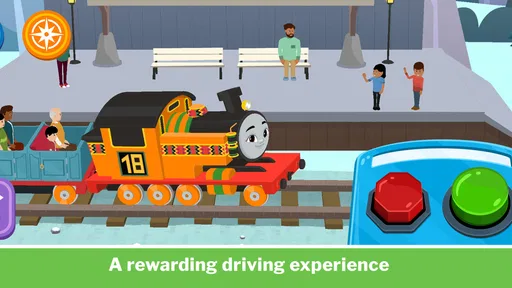
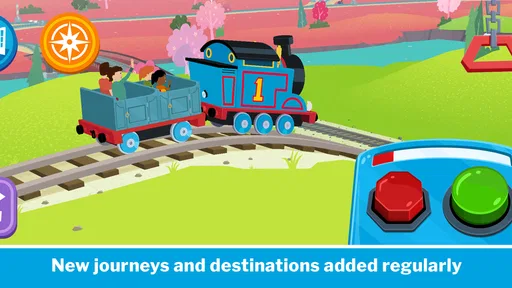
The first thing that caught my eye about Thomas & Friends™: Let's Roll is its delightful graphics. It's like the classic TV show has come to life on your phone. The vibrant colors and detailed animations make you feel like you're right there on the Island of Sodor. The app is designed to be both visually pleasing and engaging, ensuring that both young and old players are hooked from the get-go.
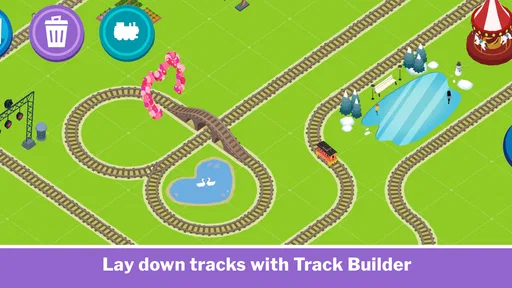
As you dive into the game, you're greeted by a series of mini-games that are both entertaining and educational. The developers have done a fantastic job of keeping the gameplay varied, so it never feels repetitive. From fixing tracks to racing against time, each challenge offers a new twist, keeping players engaged and excited to see what's next.
Gameplay and Features
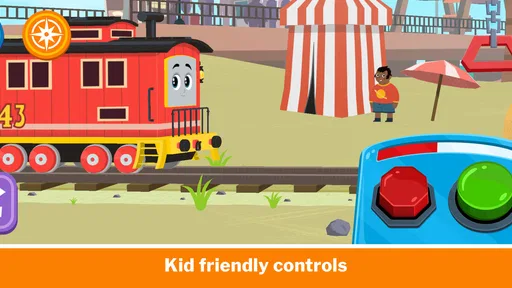
One of the standout features of this app is its simplicity. The controls are intuitive, making it accessible for younger players while still providing a challenge for older users. It's a delicate balance that's hard to achieve, but the developers have nailed it.
There are multiple levels to explore, each with its own set of tasks and objectives. As you progress, you can collect stickers and unlock new engines, adding a fun layer of achievement. The game also introduces new characters and storylines, keeping the content fresh and engaging.
The sound design is another highlight. The familiar whistles and chugging of the engines bring a smile to my face every time I hear them. It's these little touches that make the game so endearing. And let's not forget the catchy tunes that play in the background, perfectly complementing the on-screen action.
Educational Value
Beyond the fun and games, Thomas & Friends™: Let's Roll is packed with educational benefits. The app encourages problem-solving and critical thinking as players navigate through various challenges. It's a subtle way to blend learning with play, making it a hit with parents looking for educational content.
Worth Reading Before You Choose

EA SPORTS FC Mobile 26 Is a Bigger Football Game, but It Takes Time

Flipboard Shows What News Apps Must Do Beyond the Feed

Switching to Android Auto Means Rethinking Your Driving Routine

Google Calendar Makes a Crowded Week Easier to Manage

Ludo King Makes the Most of the Minutes Between Plans

Baby Panda World Brings Quick Play to Modern Phones, but Its Game Library Feels Busy
For me, the educational benefit is most convincing when an adult treats play as a chance to talk, not as a substitute for interaction. A parent can ask a child what they think should happen next, or invite them to explain how they solved a task. That turns a brief game session into a small conversation about choices and cause and effect. I’d keep expectations modest, though: this is entertainment with learning-friendly elements, not a structured curriculum or a replacement for hands-on play.
There’s a useful practical distinction between watching a Thomas episode and playing a game built around the characters. A show is easier when a child wants to sit back and follow a story; this game is better when they want to tap, try, and make decisions. Compared with broad preschool learning apps, its strongest draw is the familiar railway world rather than a wide range of unrelated subjects. If a child isn’t interested in Thomas, that focus may make a more general educational game the better choice.
There's also a social aspect to the game, as players can team up with friends or family members to tackle tasks together. This cooperative play fosters teamwork and communication, skills that are invaluable in real life.
A Good Fit for Short, Shared Play
I can picture using it during a quiet stretch at home: a child finishes a snack, asks for something to do, and an adult sits nearby for a short round. Rather than handing over the phone and walking away, I’d let the child choose what to try and ask them to describe what is happening on screen. That keeps the activity social and gives a younger player a little help if a task feels confusing.
For a preschooler who likes trains, the recognizable characters can make it easier to settle into the game than an unfamiliar puzzle app. The simple controls are also a practical advantage when a child is still learning how to use a touchscreen. I would still supervise, especially at first: young children can tap through menus quickly, and an adult should be close enough to guide them and manage any purchase prompts.
A useful way to keep the experience from becoming a long, passive session is to agree on a stopping point before play begins. For example, you might let the child finish a particular activity and then put the device away for a different toy or a book. This is not a special feature of the game; it is simply a sensible routine for using a screen-based activity with a young child. It also helps you see whether the game is holding their interest or whether they would rather do something else.
What Parents Should Weigh
The game is rated for Everyone, and its educational framing makes it an obvious candidate for family play, but age suitability is not the same as a promise that every child will enjoy it. A child who finds timed challenges stressful may prefer a slower activity, while a child who wants to build, draw, or move around may quickly lose interest in a phone game. I’d use the child’s reaction as the guide rather than assuming that a familiar character guarantees a good fit.
It is also worth distinguishing the free starting point from the full value you may want from an app. The game is free to download, while in-app purchases range from $4.99 to $29.99 per item. That makes trying it out a lower-commitment decision, but I would check purchase settings and discuss spending with the other adults who share the device before handing it to a child. A child-friendly game can still create friction if a young player reaches a paid option without understanding what it means.
StoryToys is the developer, and the game’s current version is 7.6.0. It was released on April 2, 2024, and requires Android 8.0 or later. Those details are useful when you are deciding whether an older family device can run it; I’d check the device’s operating system before planning a trip or a quiet-time activity around the game. It is available for Android and iOS, so families using different mobile platforms can consider it on either one.
Cost, Reach, and Lasting Value
The game is free, which means you can explore its basic appeal before deciding whether it deserves a regular place on a child’s device. Its average rating is 4.0 from around 3,000 ratings, and it has passed 1 million installs. I read that as a sign of broad interest, not as proof that it will suit every preschooler: a child’s attachment to Thomas and tolerance for mobile games matter more than popularity alone.
For value, I’d focus on how often your child returns to it and whether the play feels enjoyable without needing to spend. A free download can be worthwhile if it fills a short, occasional gap and the child likes the activities available. If you are considering an in-app purchase, think about whether the extra content would genuinely be used rather than buying simply because a child asks in the moment. The listed item prices run from $4.99 to $29.99, so the top end is a meaningful commitment for a game aimed at young children.
In the usual preschool-game landscape, this sits closer to a character-led play experience than to a comprehensive learning toolkit. That is a trade-off, not automatically a weakness. Thomas fans may be more motivated by trains and familiar faces than by generic matching or counting exercises; parents who want a broad set of lessons may get more from an app organized around multiple learning topics. I would choose based on the child’s interest and the role you want the screen activity to play.
Who Is Likely to Enjoy It?
I’d recommend giving it a try if your child already enjoys Thomas, likes straightforward touch controls, and responds well to short challenges. It may also suit a parent or caregiver looking for a shared activity that can prompt conversation, rather than expecting the device to entertain a child entirely on its own. The game’s Everyone rating and preschool focus make it approachable for family use, but younger players may still benefit from an adult nearby.
I’d skip it if your priority is a fully free experience with no paid options, if your child tends to become frustrated by timed play, or if you are looking for deep instruction in a specific school subject. It is also not the best match for a child who has little interest in trains or prefers open-ended physical play. In those cases, a non-screen activity or a broader educational app is likely to serve your needs better.
My Verdict for Families
If you’re a fan of Thomas the Tank Engine or simply looking for a fun, family-friendly app, Thomas & Friends™: Let's Roll is a must-try. It's more than just a game; it's an experience that brings joy and nostalgia to its players. The app is available on both Android and iOS, making it accessible to a wide audience.
With its engaging gameplay, stunning visuals, and educational benefits, it's easy to see why this app has become a favorite among users. Whether you're playing solo or with family, there's something for everyone to enjoy.
So, what are you waiting for? Download the app and join Thomas and his friends on a magical journey across the Island of Sodor. It's time to roll!
My practical verdict is to start with the free download, try a session together, and see whether the child genuinely wants to return to it. Keep purchases under adult control, and judge its value by the kind of play your family actually gets from it—not by the character name or the install count. For the right young train fan, it can be a cheerful, convenient option; for everyone else, there are better ways to spend screen time.
Pros
- Engaging gameplay for young children.
- Colorful graphics capture attention.
- Teaches coordination and problem-solving.
- Easy-to-use controls for kids.
- Regular updates with new content.
Cons
- Limited appeal for older audiences.
- In-app purchases can be frequent.
- Requires internet for some features.
- Some levels may be repetitive.
- Ads can interrupt gameplay.
FAQs for Thomas & Friends™: Let's Roll
What is Thomas & Friends™: Let's Roll about?
Thomas & Friends™: Let's Roll is an engaging mobile game that lets players join Thomas the Tank Engine and his friends in various adventures. The game focuses on fun and educational activities, such as puzzles and racing, designed to entertain and teach young children. Its colorful graphics and familiar characters make it appealing to fans of the series.
Is Thomas & Friends™: Let's Roll suitable for my child?
Yes, Thomas & Friends™: Let's Roll is designed for younger audiences, specifically children aged 3 to 7. The game offers age-appropriate content with simple controls, encouraging cognitive development and problem-solving skills. Parents can rest assured knowing the app is child-friendly, with no inappropriate content or ads.
Are there in-app purchases in Thomas & Friends™: Let's Roll?
Thomas & Friends™: Let's Roll does offer in-app purchases, which allow players to unlock additional content, characters, and features. While the basic version of the game is free, some premium content may require payment. Parents should monitor their child’s in-app purchases to prevent unintended spending.
Does Thomas & Friends™: Let's Roll require an internet connection?
Thomas & Friends™: Let's Roll can be played offline, making it perfect for travel or situations where internet access is limited. However, some features, such as updates and certain content downloads, might require an internet connection. It's a flexible option for on-the-go entertainment.
What devices are compatible with Thomas & Friends™: Let's Roll?
Thomas & Friends™: Let's Roll is available on both Android and iOS platforms. It supports a wide range of devices, including smartphones and tablets. To ensure optimal performance, it’s recommended that the device meets the app’s minimum system requirements, which can be found in the app store description.


